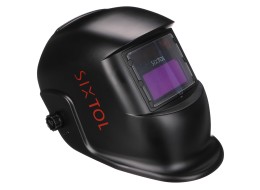
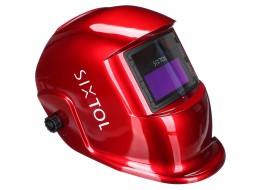
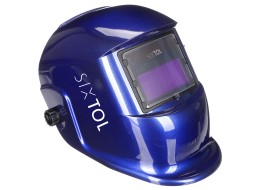
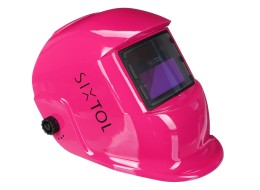
Quick guide for first use and correct helmet setup for welding and grinding.
Before you start (1-minute check)
Check the outer filter cover lens: it must be properly fitted, clean, and must not block the sensors on the front of the filter.
Also check the inner cover lens: remove dirt and any protective films.
Check the condition of the helmet: replace cracked, scratched, or dented parts before use.
Make sure the helmet does not let light through.
Adjusting the helmet for comfort and safety
1) Put on and adjust the headgear
Adjust the headgear so the helmet sits as low as possible on your head and close to your face. Adjust the helmet tilt in the lowered position using the adjustable spacer pad.
2) Select mode: welding vs. grinding
Welding: set the shade level DIN 9–13 using the external knob.
Grind (grinding): switch the external knob to Grind. In this mode, the filter does not darken.
Quick shade setup (recommended procedure)
Before first use, it is sufficient to adjust the headgear, select the mode, and set the shade according to the type of work.
A) Darkening (Shade)
Set DIN 9–13 with the external knob to match the work you will be doing.
B) Lightening delay (Delay)
With the Delay knob (inside the helmet, on the left side of the filter), you set how quickly the lens returns to the light state (DIN 4).
C) Sensitivity
With the Sensitivity knob, you set how sensitively the helmet reacts to arc ignition:
Lo (lower sensitivity): high amperage, strongly lit environment / sunlight.
Max (higher sensitivity): low amperage, lower light; also recommended for TIG.
D) Test button
Press Test – the filter will darken according to the set values and you can verify that both darkening and the lightening delay work correctly.
Minimum safety
If the lens does not darken when the arc is struck, stop welding immediately and check the settings. If problems persist, do not use the helmet further.
Do not soak the filter; clean it only with a damp cloth and do not use solvents.
Maintenance that extends service life (and improves visibility)
Keep the sensors and solar cells clean (with a clean, lint-free cloth).
If the protective cover lens is damaged or scratched, replace it immediately.
Power supply: solar cells + 2× CR2032 (backup power). With normal use, battery life can be up to 6 years.
Most common issues (quick help)
Lens does not darken / flickers: Check the cleanliness and condition of the cover lenses, clean the sensors, and increase sensitivity if needed.
Slow response: Do not use at temperatures below -5 °C.
Poor visibility: Clean or replace the inner/outer cover lens; optionally reduce the shade level.
Arc not clearly visible: Try increasing Delay.
Helmet slips on the head: Tighten or readjust the headgear.